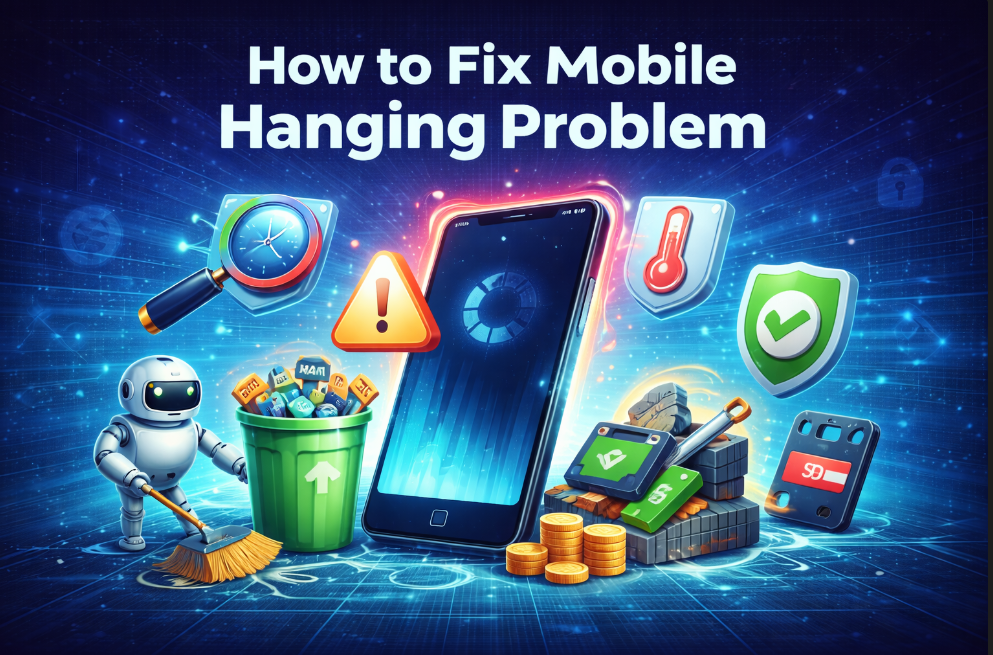
Mobile hanging is one of the most frustrating problems smartphone users face today. When a phone hangs, apps stop responding, the screen freezes, and performance drops badly. Instead of replacing your device, learning how to fix mobile hanging problem can help you restore smooth performance with simple and safe methods.
Most mobile hanging issues are caused by software-related problems, not hardware failure. Understanding how to fix mobile hanging problem allows users to solve lag issues without spending money on a new phone.
What Is a Mobile Hanging Problem?
A mobile hanging problem occurs when your phone becomes slow, unresponsive, or freezes during normal use. Common symptoms include delayed touch response, slow app opening, and sudden app crashes. Knowing these signs early is important when learning how to fix mobile hanging problem effectively.
Why Mobile Phones Start Hanging
Before applying solutions, it is important to understand the causes behind hanging issues.
Common reasons:
- Low internal storage
- Too many background apps
- Excessive cache and junk files
- Outdated software or apps
- Heavy games and applications
- Malware or unsafe apps
- Overheating
Most of these issues are fixable if you know how to fix mobile hanging problem correctly. For detailed performance optimization methods, readers can also check How to Increase Mobile Speed, which explains practical steps to make Android phones faster.
1. Restart Your Phone Regularly
Restarting your phone is the simplest and most effective solution.
Why restarting helps:
- Clears temporary RAM
- Stops unnecessary background processes
- Fixes minor system bugs
Restarting your phone once every few days is the first step in how to fix mobile hanging problem.
2. Free Up Internal Storage
Low storage is one of the biggest reasons phones start hanging. Users can also follow Google’s official Android guide to understand how freeing up storage improves phone performance.
What you should do:
- Delete unused apps
- Remove duplicate photos and videos
- Clear WhatsApp media
- Move files to cloud storage or SD card
Keeping enough free space plays a major role in how to fix mobile hanging problem.
3. Clear Cache and Junk Files
Cache files help apps load faster, but too much cache slows the phone.
Steps:
- Go to Settings → Storage
- Clear cached data
- Clear cache of heavy apps like Chrome and YouTube
Regular cache cleaning is a safe and proven method in how to fix mobile hanging problem.
4. Uninstall Unnecessary Apps
Apps you don’t use still consume RAM and system resources.
Best practices:
- Uninstall unused apps
- Disable pre-installed apps if uninstall is not allowed
- Avoid installing too many cleaner apps
Reducing app load helps significantly in how to fix mobile hanging problem.
5. Limit Background Apps and Auto-Start
Many apps run silently in the background.
What to do:
- Restrict background activity for unused apps
- Disable auto-start options
- Monitor battery usage
Controlling background apps improves performance and supports how to fix mobile hanging problem.
6. Update Phone Software and Apps
Outdated software often causes bugs and instability.
Why updates matter:
- Fix performance bugs
- Improve system stability
- Enhance security
Keeping your phone updated is essential in how to fix mobile hanging problem safely.
7. Reduce Animations and Visual Effects
Animations consume system resources and slow down low-RAM phones. For deeper technical insights into performance optimization, readers can explore Android Developers’ official performance documentation.
How to reduce animations:
- Enable Developer Options
- Set animation scale to 0.5x or Off
This trick makes phones feel instantly faster and is widely used in how to fix mobile hanging problem guides. To explore advanced system settings and hidden options, readers can also read Hidden Android Tricks in 2026 for powerful Android customization tips.
8. Scan and Remove Malware
Malware runs in the background and consumes resources. To learn how malware affects mobile performance and how to remove it, users can visit Malwarebytes’ official mobile security page.
What to do:
- Use a trusted antivirus app
- Scan your phone
- Remove suspicious apps
Malware removal is an important step in how to fix mobile hanging problem. To keep the device secure while fixing performance issues, readers should also read How to Protect Phone from Hacking, which covers essential mobile security practices.
9. Stop Phone Overheating
Overheating reduces performance and causes hanging.
Tips:
- Avoid using phone while charging
- Do not play heavy games for long hours
- Keep phone cool
Managing heat helps a lot in how to fix mobile hanging problem.
10. Factory Reset (Last Option)
If nothing works, a factory reset can restore performance.
Before resetting:
- Backup important data
- Sync contacts and photos
- Install only essential apps after reset
Factory reset is the strongest solution in how to fix mobile hanging problem.
How to Prevent Mobile Hanging in the Future
Prevention is better than fixing the problem again.
Best habits:
- Clean storage monthly
- Restart phone weekly
- Update apps regularly
- Avoid unknown apps
Following these habits ensures long-term success in how to fix mobile hanging problem.
Conclusion
A hanging phone does not always mean you need a new device. By understanding the causes and applying the correct solutions, anyone can learn how to fix lag issues and enjoy smooth performance again. With regular maintenance, smart app usage, and proper system care, mobile hanging problems can be avoided easily in 2026 and beyond.