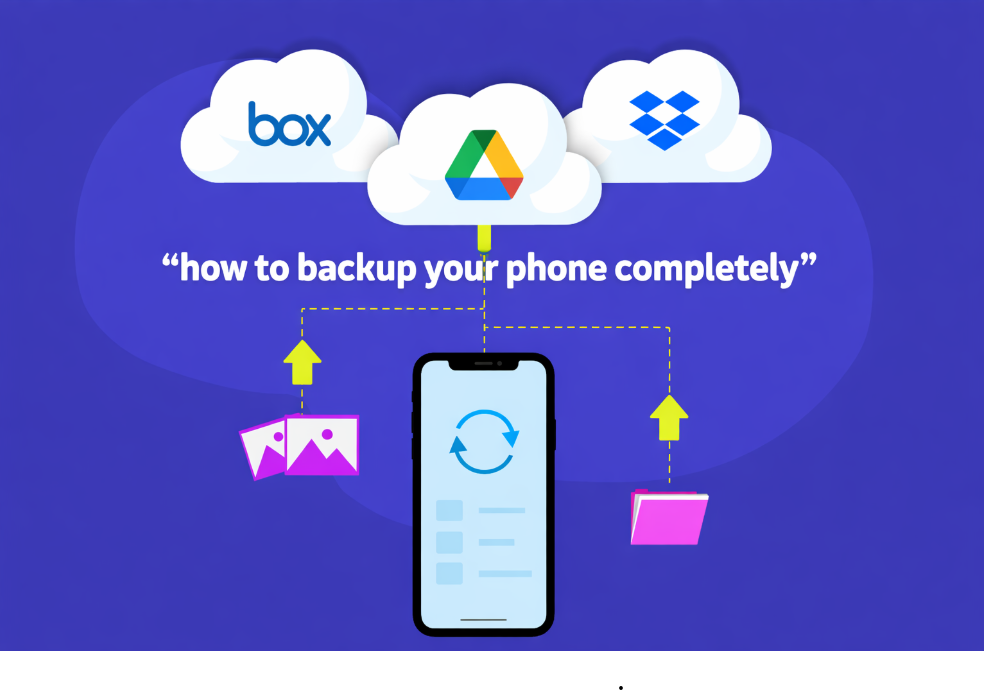
Your smartphone is more than just a communication device. It stores your photos, videos, contacts, messages, documents, apps, and even sensitive personal information. Losing this data can be stressful and sometimes impossible to recover. That is why learning how to backup your phone completely is one of the most important digital habits you can develop.
In today’s world of software updates, cyber threats, accidental deletion, and phone damage, understanding how to backup your phone completely helps you stay prepared for any situation.
This complete guide explains step by step how to backup your phone completely on both Android and iPhone devices using safe, reliable, and beginner-friendly methods.
What Does a Complete Phone Backup Mean?
A complete phone backup means creating a secure copy of all important data stored on your device. When you truly understand how to backup your phone completely, you ensure that nothing important is left behind.
A full backup usually includes:
- Contacts and call history
- Messages and chat data
- Photos and videos
- Apps and app data
- System settings
- Documents and downloads
Having all these items backed up allows you to restore your phone exactly as it was.
Why Backing Up Your Phone Is So Important
Many users only realize the importance of backups after data loss. Knowing how to backup your phone completely protects you from unexpected problems.
Common situations where backups save you:
- Phone lost or stolen
- Accidental deletion of files
- Software update failure
- Virus or malware attack
- Switching to a new phone
A few minutes spent on backups can save years of valuable data. If important files are lost due to accidental deletion, readers can also check How to Recover Deleted Photos and Videos for safe recovery methods.
How to Backup Your Android Phone Completely
Android phones provide multiple built-in options for backup. To properly learn how to backup your phone completely on Android, you should use both cloud and local methods.
Method 1: Backup Android Phone Using Google Account
Google Backup is the most reliable and recommended option for Android users.
Steps:
- Open Settings
- Go to Google → Backup
- Turn on Back up to Google Drive
- Tap Back up now
This method backs up contacts, messages, call history, app data, and device settings. It is a core part of how to backup your phone completely on Android. For official guidance on Android backups, users can refer to Google’s Android backup documentation.
Method 2: Backup Photos and Videos Using Google Photos
Photos and videos are often the most valuable files on a phone.
Steps:
- Open Google Photos
- Go to Settings → Backup
- Turn on Backup & Sync
- Choose upload quality
Media backup is essential when learning how to backup your phone completely without losing memories.
Method 3: Local Backup on Android Phone
Some Android brands allow local backups directly on the device.
Steps:
- Open Settings → Backup & Restore
- Select Local Backup
- Choose data to back up
- Save backup to internal storage or SD card
Local backups are useful offline options when practicing how to backup your phone completely.
Method 4: Backup Android Phone to Computer
Backing up to a computer provides extra security.
Steps:
- Connect your phone to a PC using a USB cable
- Enable File Transfer mode
- Copy important folders manually
This manual method is simple but effective for how to backup your phone completely without cloud storage.
How to Backup Your iPhone Completely
Apple devices also offer strong backup systems. Learning how to backup your phone completely on iPhone ensures full protection of your Apple data.
Method 1: Backup iPhone Using iCloud
iCloud is the easiest and most popular option.
Steps:
- Open Settings
- Tap your Apple ID
- Go to iCloud → iCloud Backup
- Tap Back Up Now
This method is one of the safest ways to learn how to backup your phone completely for iPhone users. Apple users can learn more about secure iPhone backups from Apple’s official support guide.
Method 2: Backup iPhone Using Computer (iTunes or Finder)
This creates a full offline backup.
Steps:
- Connect iPhone to computer
- Open iTunes (Windows) or Finder (Mac)
- Click Back Up Now
- Enable Encrypt Backup
Encrypted backups are highly recommended when mastering how to backup your phone completely securely.
How to Backup WhatsApp and App Data
App data, especially WhatsApp chats, is very important for most users.
- Android: WhatsApp → Settings → Chats → Chat Backup
- iPhone: WhatsApp → Settings → Chats → Chat Backup
Backing up app data is a crucial step in how to backup your phone completely for daily communication. For detailed steps on chat backups, users can visit WhatsApp’s official Help Center.
How Often Should You Backup Your Phone?
To truly follow how to backup your phone completely, backups should be done regularly.
Recommended backup frequency:
- Daily for business users
- Weekly for regular users
- Before system updates
- Before changing phones
Automatic backups are the safest and most convenient option.
Best Practices for Safe Phone Backup
To ensure maximum protection:
- Use strong passwords
- Enable two-step verification
- Keep both cloud and local backups
- Check backup status regularly
Following these practices ensures long-term data safety. Along with regular backups, users should also read How to Protect Phone from Hacking to prevent unauthorized access and data theft.
Common Backup Mistakes to Avoid
Many users still make mistakes such as:
- Turning backups off
- Forgetting to back up photos
- Relying on only one backup method
- Ignoring encryption options
Avoiding these mistakes makes your backup strategy reliable. If backups and large files slow down your device, you can follow How to Increase Mobile Speed to optimize performance.
How to Restore Data from Backup
When setting up a new phone or after a reset:
- Sign in with the same Google or Apple account
- Choose Restore from Backup
- Select the latest backup
Your data will be restored automatically.
Who Should Backup Their Phone Completely?
Phone backups are essential for:
- Students
- Professionals
- Business owners
- Parents
- Content creators
Anyone using a smartphone should take backups seriously.
Conclusion
Your phone contains your digital life. Losing it without a backup can be devastating. By using cloud services, local backups, and computer backups together, you can protect everything that matters.
Taking time today to set up proper backups ensures peace of mind tomorrow. A complete backup strategy keeps your data safe, secure, and always recoverable.