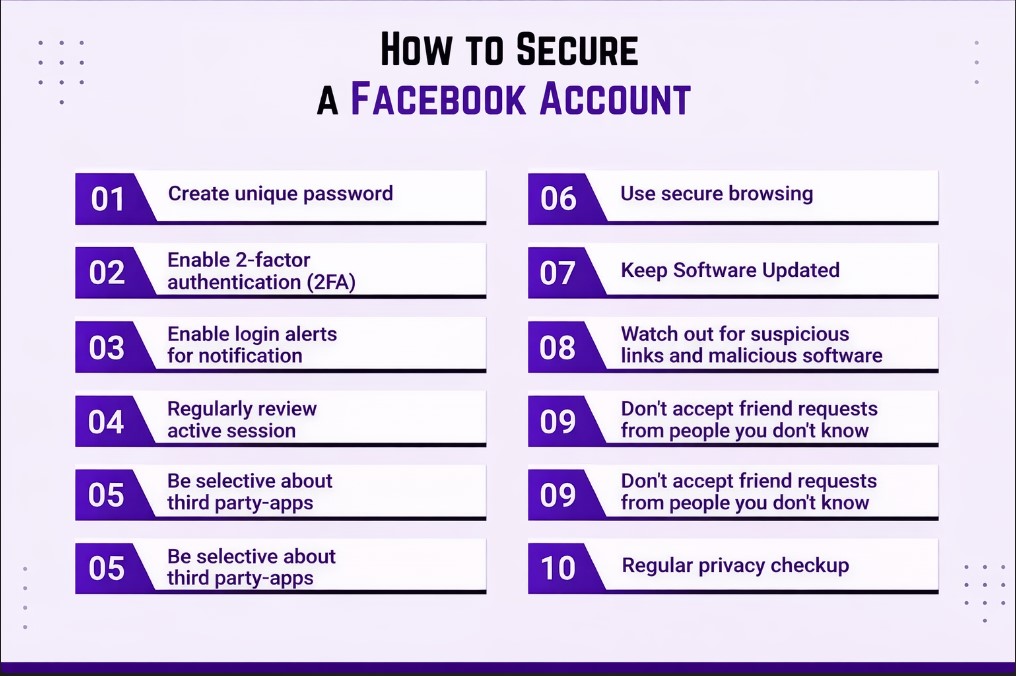
In 2026, Facebook is more than just a social networking platform. It has become a digital identity hub where people store personal memories, private conversations, business pages, payment information, and even login access to other websites. Because of this, Facebook accounts have become a prime target for hackers, scammers, and cybercriminals. Learning how to secure your Facebook account is no longer optional—it is a critical digital safety skill.
This complete guide explains how to secure your Facebook account using the latest security features, best practices, and smart habits that work in 2026. Whether you use Facebook for personal connections or business growth, these steps will help you protect your data and digital identity.
Why Facebook Account Security Is So Important in 2026
Cybercrime has evolved rapidly. Hackers no longer rely only on weak passwords. They use phishing, fake login pages, malicious apps, data leaks, and social engineering techniques. If someone gains access to your Facebook account, they can: Since most people access Facebook from smartphones, readers should also follow How to Protect Phone from Hacking to secure their devices from digital threats.
- Read private messages
- Steal personal photos and videos
- Post scams using your identity
- Lock you out of your own account
- Access connected apps and websites
- Damage your reputation
That is why understanding how to secure your Facebook account is essential for total digital protection.
Common Ways Facebook Accounts Get Hacked
Before securing your account, you should understand how hackers break in.
1. Weak or Reused Passwords
Using simple passwords or the same password on multiple websites makes hacking easy.
2. Phishing Attacks
Fake emails, messages, or ads that look like Facebook login pages trick users into entering credentials.
3. Fake Apps and Games
Third-party apps requesting unnecessary permissions can steal account access.
4. Public Wi-Fi Risks
Logging into Facebook on unsecured public Wi-Fi networks exposes your session to attackers.
5. Data Breaches
If your email or password is leaked from another site, hackers try it on Facebook.
Knowing these risks helps you better understand how to secure your Facebook account effectively.
Step 1: Create a Strong and Unique Password
Your password is the first line of defense.
Best password practices in 2026:
- Use at least 12–16 characters
- Mix uppercase, lowercase, numbers, and symbols
- Avoid names, birthdays, or common words
- Never reuse passwords from other sites
A strong password alone significantly improves how to secure your Facebook account.
Step 2: Enable Two-Factor Authentication (2FA)
Two-factor authentication is one of the most powerful security tools available.
What 2FA does:
- Requires a second verification step
- Protects your account even if the password is stolen
- Prevents unauthorized logins
Best 2FA options:
- Authentication apps (recommended)
- SMS codes (better than nothing)
- Security keys (advanced users)
Always enable 2FA if you are serious about how to secure your Facebook account.
Step 3: Turn On Login Alerts
Facebook allows you to receive alerts whenever your account is accessed from a new device or location.
Enable alerts for:
- Email notifications
- Mobile push notifications
This feature helps you detect suspicious activity instantly and is a key part of how to secure your Facebook account in real time.
Step 4: Review Active Sessions and Devices
Hackers often stay logged in silently.
What to do:
- Go to Security and Login
- Check “Where You’re Logged In”
- Log out of unknown devices
- End sessions you don’t recognize
Regular session checks strengthen your control over how to secure your Facebook account.
Step 5: Secure Your Email Account First
Your Facebook account is only as secure as your email.
Why email security matters:
- Password resets go to email
- Hackers target email first
- A compromised email = compromised Facebook
Email security tips:
- Use a strong password
- Enable 2FA on email
- Check recovery options
- Monitor suspicious activity
Protecting your email is a critical step in how to secure your Facebook account completely.
Step 6: Be Careful with Third-Party Apps and Websites
Many users unknowingly grant access to dangerous apps.
What to do:
- Review connected apps regularly
- Remove apps you don’t use
- Avoid apps asking for full account access
Only trusted services should connect to your account if you want full control over how to secure your Facebook account.
Step 7: Protect Yourself from Phishing Scams
Phishing is the #1 hacking method.
Common phishing signs:
- Urgent messages like “Your account will be disabled”
- Fake verification links
- Misspelled URLs
- Messages asking for login details
Safety rule:
Facebook will never ask for your password via messages or email.
Learning to identify scams is essential for mastering how to secure your Facebook account.
Step 8: Lock Your Facebook Profile
Profile locking limits who can see your content.
Benefits:
- Protects photos and posts
- Limits profile visibility
- Prevents misuse of personal data
Profile lock is especially useful for public users and adds an extra layer to how to secure your Facebook account.
Step 9: Hide Personal Information from Public View
Oversharing increases risk.
Hide or limit:
- Phone number
- Email address
- Friend list
- Birthdate
- Location
The less information hackers see, the easier it is to maintain how to secure your Facebook account long term.
Step 10: Enable Facebook’s Advanced Security Features
Facebook now includes AI-based security tools.
Useful features:
- Suspicious login detection
- Automated account recovery
- Identity verification alerts
- Login attempt monitoring
Use every available option to strengthen how to secure your Facebook account. For reviewing and improving account protection, users should run Facebook’s official Security Checkup tool.
Step 11: Avoid Public Wi-Fi for Facebook Login
Public networks are unsafe.
If unavoidable:
- Use a trusted VPN
- Avoid saving login credentials
- Log out after use
Safe browsing habits support your efforts in how to secure your Facebook account.
Step 12: Keep Your Device Secure
Your phone or computer matters.
Device security checklist:
- Lock screen enabled
- Updated operating system
- Antivirus installed
- No pirated software
A compromised device can defeat all other steps in how to secure your Facebook account. If a security breach leads to data loss, you can also read How to Recover Deleted Files from PC to restore important files safely.
What to Do If Your Facebook Account Is Hacked
If the worst happens: After recovering an account, users should regularly back up important data, so learning How to Backup Your Phone Completely is highly recommended.
- Go to Facebook’s account recovery page
- Secure your email first
- Change Facebook password immediately
- Review activity and messages
- Remove unknown apps
- Report the hack
Fast action increases recovery success and reinforces future how to secure your Facebook account strategies. If an account is compromised, Facebook users can follow the official recovery steps provided in the Facebook Help Center.
Facebook Security Mistakes You Must Avoid
- Ignoring security notifications
- Using the same password everywhere
- Clicking unknown links
- Trusting fake support pages
- Sharing OTP codes
Avoiding these mistakes is just as important as learning how to secure your Facebook account.
Best Facebook Security Habits for 2026
- Monthly security checkups
- Regular password updates
- Minimal app permissions
- Awareness of scams
- Staying updated on new features
Good habits make how to secure your Facebook account a long-term success, not a one-time task. For general digital safety awareness, users can also explore the Google Safety Center to learn best practices for online account protection.
Final Conclusion
Facebook account security in 2026 requires awareness, smart configuration, and disciplined habits. Hackers are becoming more advanced, but Facebook’s security tools have also improved significantly. By using strong passwords, enabling two-factor authentication, monitoring activity, avoiding scams, and securing your devices, you can dramatically reduce the risk of account compromise.
Understanding how to secure your Facebook account gives you peace of mind, protects your digital identity, and ensures that your personal and professional online presence remains safe. Digital protection is not about fear—it is about control. Start securing your Facebook account today and stay protected in the digital world of 2026.