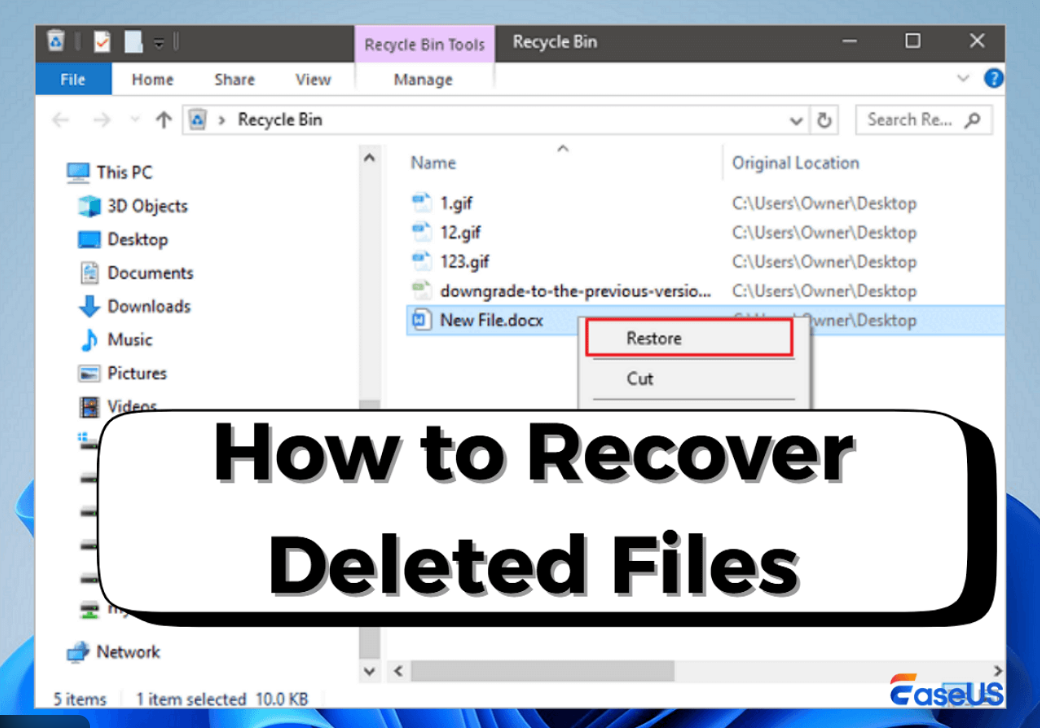
Accidentally deleting important files from your computer can be a frightening experience. Documents, photos, videos, or office data may disappear due to a simple mistake, system crash, virus attack, or formatting error. The good news is that file deletion does not always mean permanent loss. Understanding How to Recover Deleted Files from PC can help you restore valuable data without panic.
In this detailed guide, you will learn How to Recover Deleted Files from PC using built-in Windows features, backups, and trusted recovery software. Before trying any recovery method, it is always recommended to maintain regular backups, and you can learn this in detail from How to Backup Your Phone Completely.
How File Deletion Works on a PC
Before learning recovery methods, it is important to understand what happens when a file is deleted. When you delete a file, Windows removes its reference but does not immediately erase the data. This is why learning How to Recover Deleted Files from PC is possible if you act quickly.
The deleted data remains on the drive until it is overwritten by new files.
What to Do Immediately After File Deletion
If you want the highest recovery success rate, follow these rules immediately after deletion:
- Stop using the affected drive
- Avoid installing new software
- Do not copy or download files
- Begin recovery as soon as possible
These steps are critical when applying How to Recover Deleted Files from PC correctly.
Method 1: Recover Files from Recycle Bin
The Recycle Bin is the first place to check.
Steps:
- Open Recycle Bin
- Locate the deleted file
- Right-click and select Restore
This is the simplest method in How to Recover Deleted Files from PC when files are not permanently removed. For official instructions on restoring deleted files, users can refer to Microsoft’s guide on file recovery in Windows.
Method 2: Recover Deleted Files Using File History
If File History was enabled earlier, recovery becomes easier.
Steps:
- Open Control Panel
- Select File History
- Click Restore personal files
- Choose the required version
File History plays a major role in How to Recover Deleted Files from PC using Windows backups. To understand how File History works and how to enable it, users can check Microsoft’s official File History documentation.
Method 3: Restore Files Using Previous Versions
Windows sometimes saves earlier versions of folders.
Steps:
- Right-click the folder
- Select Properties
- Open Previous Versions
- Restore the required version
This method supports How to Recover Deleted Files from PC without third-party tools.
Method 4: Recover Files Using Windows Backup
If Windows Backup is enabled, recovery is straightforward.
Steps:
- Open Backup and Restore
- Click Restore my files
- Follow on-screen instructions
Backups are one of the safest solutions in How to Recover Deleted Files from PC. Microsoft also provides an official command-line recovery tool, which can be downloaded from the Windows File Recovery page.
Method 5: Use Data Recovery Software
If files are not found in backups, recovery software is needed.
Popular tools:
- Recuva
- EaseUS Data Recovery Wizard
- Disk Drill
- Stellar Data Recovery
These tools scan drives and help restore files, making them essential for How to Recover Deleted Files from PC after permanent deletion.
Method 6: Recover Permanently Deleted Files (Shift + Delete)
Files deleted using Shift + Delete skip the Recycle Bin.
Best approach:
- Stop using the drive
- Run recovery software
- Perform a deep scan
Many users successfully recover data using this technique in How to Recover Deleted Files from PC.
Method 7: Recover Files After Formatting
Formatting a drive does not always erase data completely.
Recovery steps:
- Use deep scan recovery tools
- Recover files to an external drive
This advanced approach is part of How to Recover Deleted Files from PC even after formatting.
Method 8: Recover Files from External Devices
Files deleted from USB drives, memory cards, or external hard disks can also be recovered.
Steps:
- Connect the device to PC
- Run recovery software
- Scan the external device
This expands the scope of How to Recover Deleted Files from PC beyond internal drives.
Method 9: Recover Hidden Files Using Command Prompt
Sometimes malware hides files instead of deleting them.
Steps:
- Open Command Prompt as Administrator
- Run:
chkdsk X: /f attrib -h -r -s /s /d X:\*.*
This method supports How to Recover Deleted Files from PC in malware-related cases.
Common Reasons for File Loss on PC
Understanding causes helps in prevention.
Common reasons:
- Accidental deletion
- Virus or malware
- Hard drive failure
- Software crash
- Power interruption
Recognizing these risks improves your understanding of How to Recover Deleted Files from PC. Performance issues can sometimes lead to file errors, so you may also check How to Increase Mobile Speed to understand device optimization basics.
What NOT to Do After File Deletion
Avoid these mistakes:
- Writing new data to the same drive
- Installing recovery tools on the same partition
- Running disk cleanup utilities
These actions reduce the effectiveness of How to Recover Deleted Files from PC.
Tips to Prevent Data Loss in the Future
Prevention reduces recovery stress.
Best practices:
- Enable automatic backups
- Use cloud storage
- Keep antivirus updated
- Monitor drive health
Prevention complements How to Recover Deleted Files from PC️ and saves time. For users managing files across multiple devices, Hidden Android Tricks in 2026 can improve file handling and productivity.
Who Should Learn File Recovery?
File recovery knowledge is essential for:
- Students
- Office workers
- Freelancers
- Business owners
- Home PC users
Anyone using a computer benefits from learning How to Recover Deleted Files from PC.
Final Conclusion
File deletion does not always mean permanent loss. With the right approach, tools, and timing, most deleted files can be recovered successfully. By following backups, safe recovery practices, and trusted software, you can protect your data effectively.
Understanding How to Recover Deleted Files from PC gives you confidence and control over unexpected data loss situations. If you work with important files daily, learning How to Create a Website Easily can help you manage and store digital content more securely.